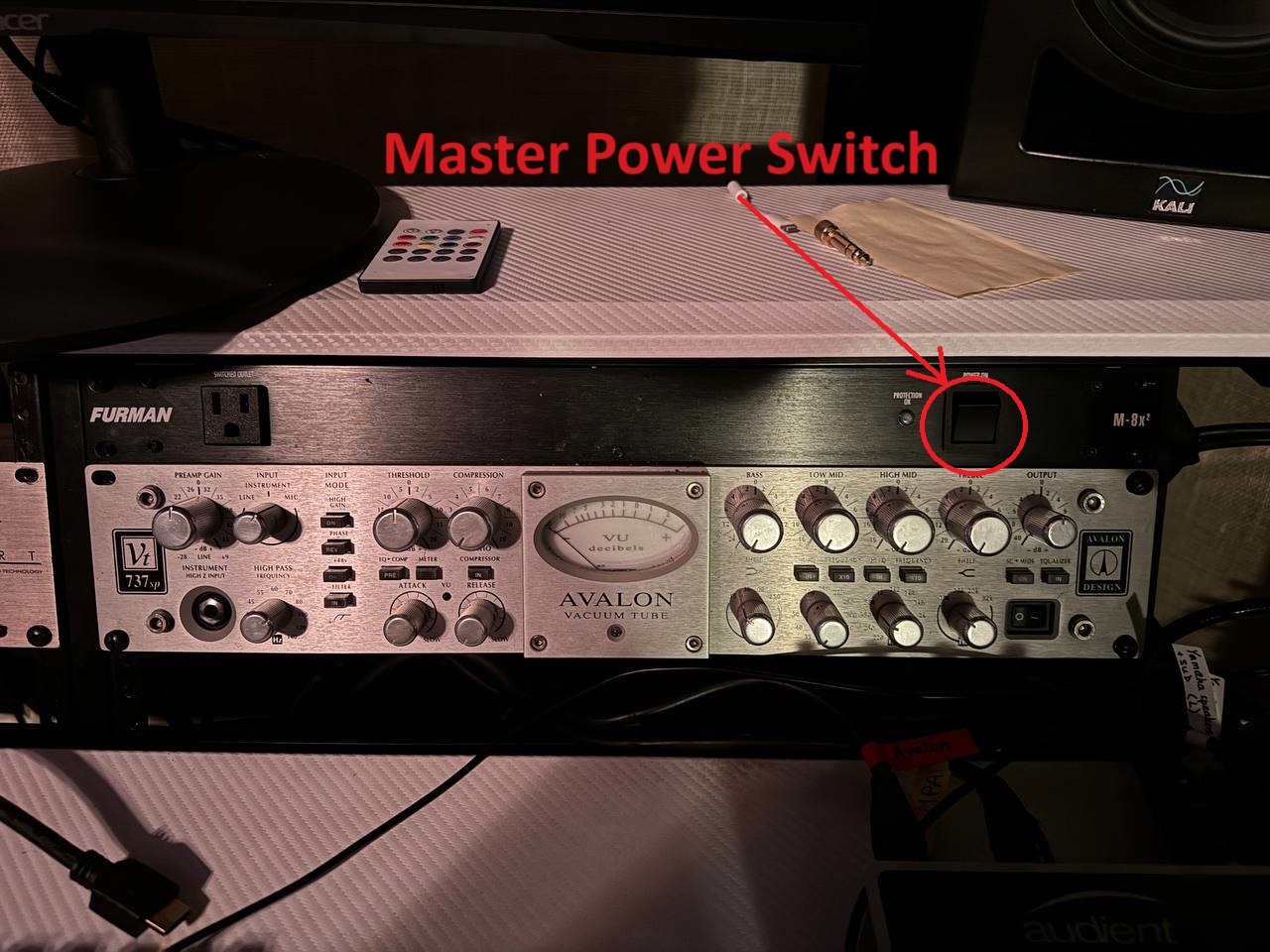
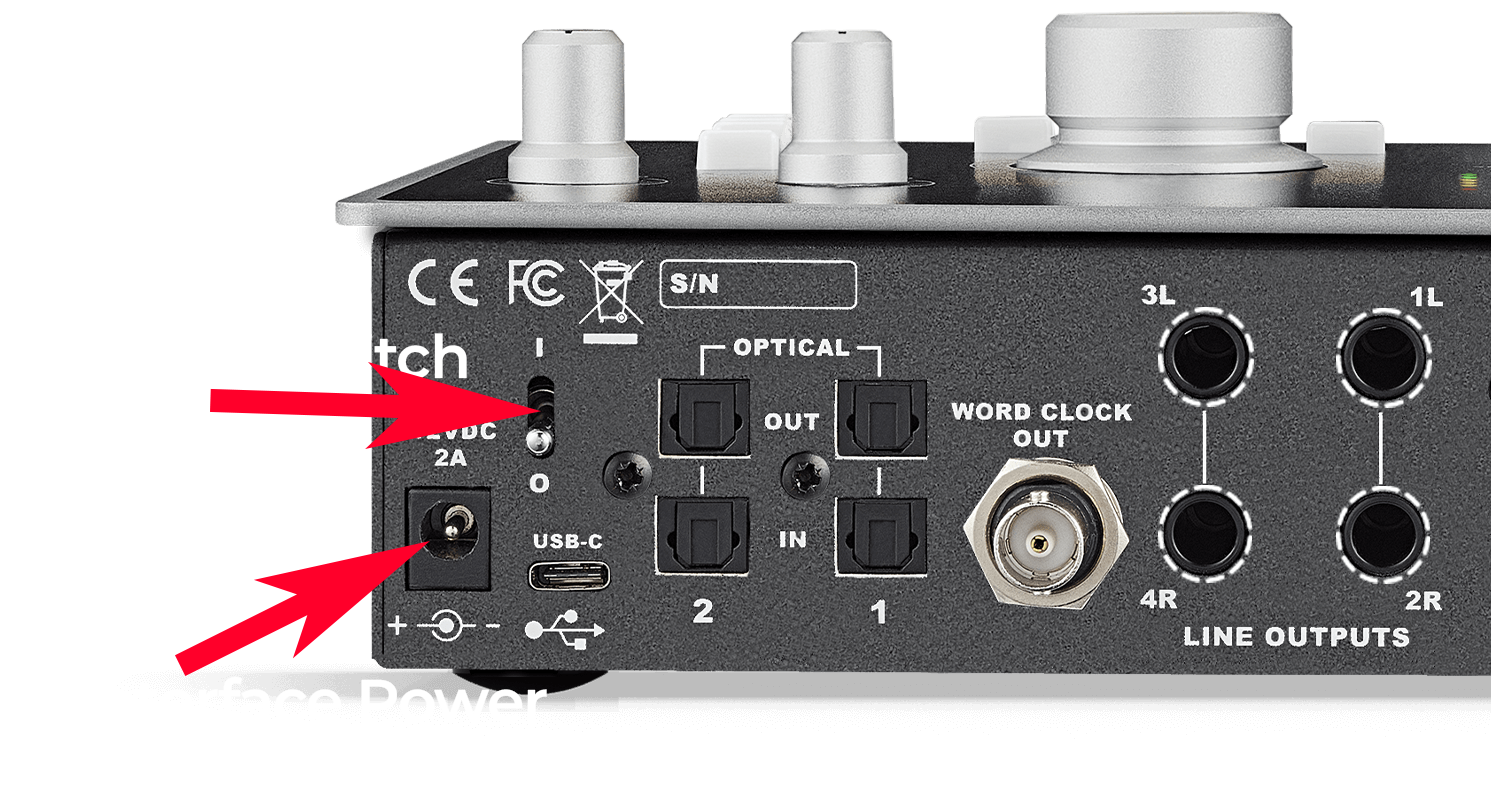
Audient ID 44 Interface Overview 1. Interface Power Cable2. Interface On/Off Switch3. Interface USB Port4. Speaker’s cables:– Yamaha(left)->1L; Yamaha(right)->2R; Kali(left)->3L; Kali(right)->4R5. MPA Gold Pre-Amp Cable->RET 26. Avalon Pre-Amp->RET 1 Connecting to an Audient Interface 1. Turn on the master power 2. Make sure the light on the interface is on,if not:-Make sure power cable is connected to the interface-Turn on the switch on the back of the Audient Interface 3. Connect the interface to your computer via USB 4. Download the driver for the interface (Google “download driver audient id 44” or open this link: https://audient.com/products/audio-interfaces/id44/downloads/ Setting Up an Audient Interface FAQ 1. Studio Overview (Lock, Lights, Equipment, Setting up, Recording) 2. Audio interface setup guide 3. How to start recording 4. Parking