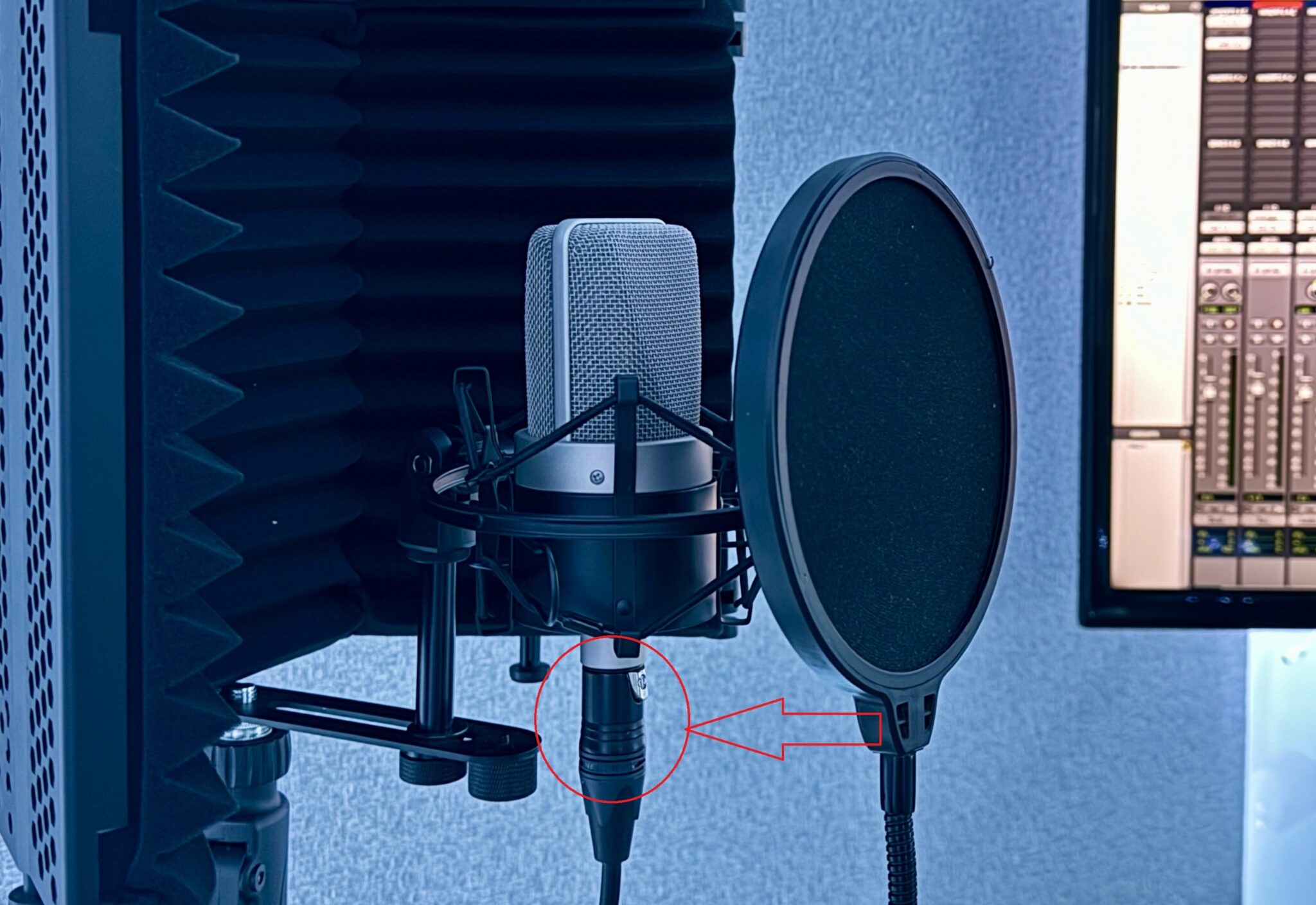
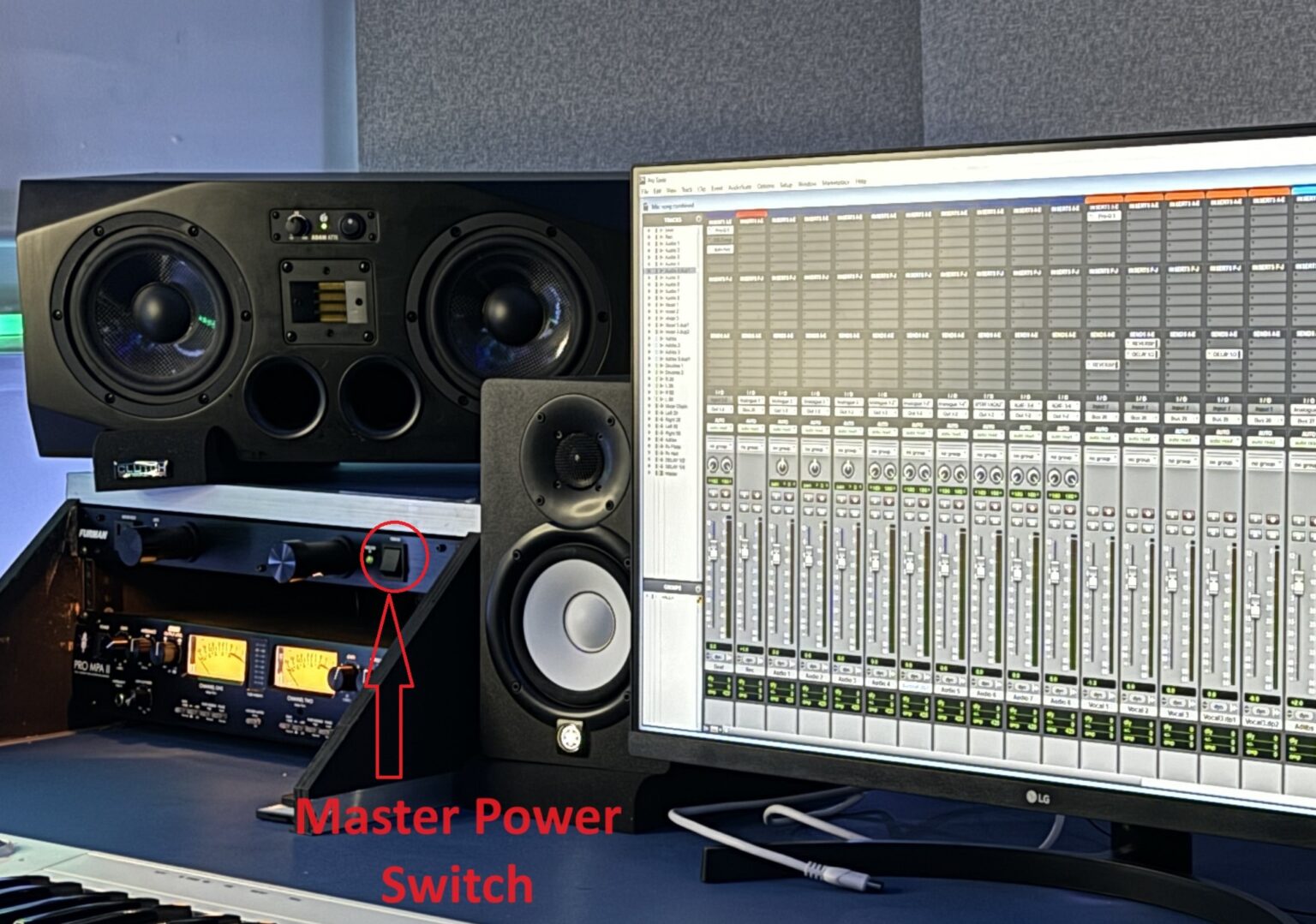
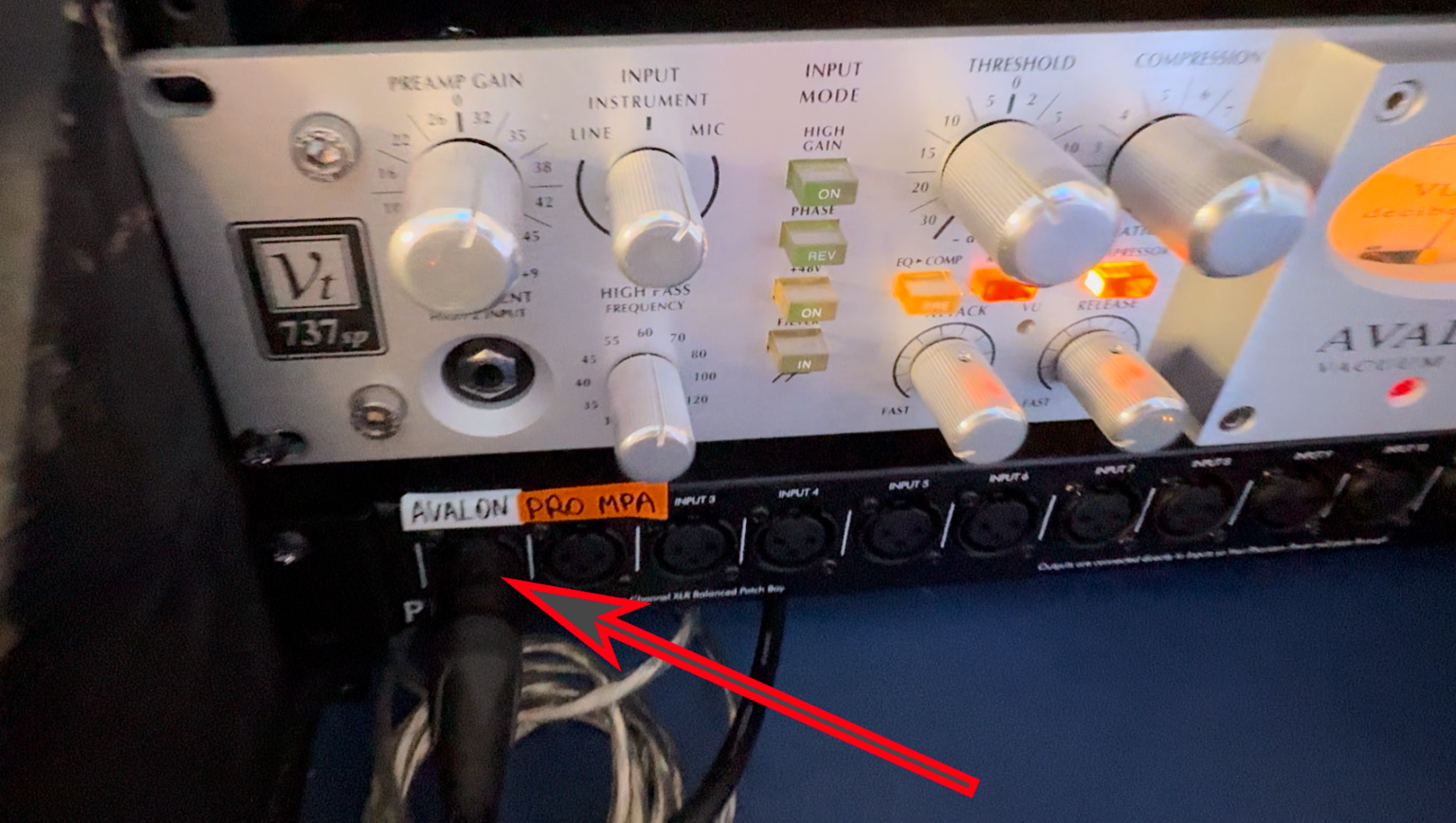
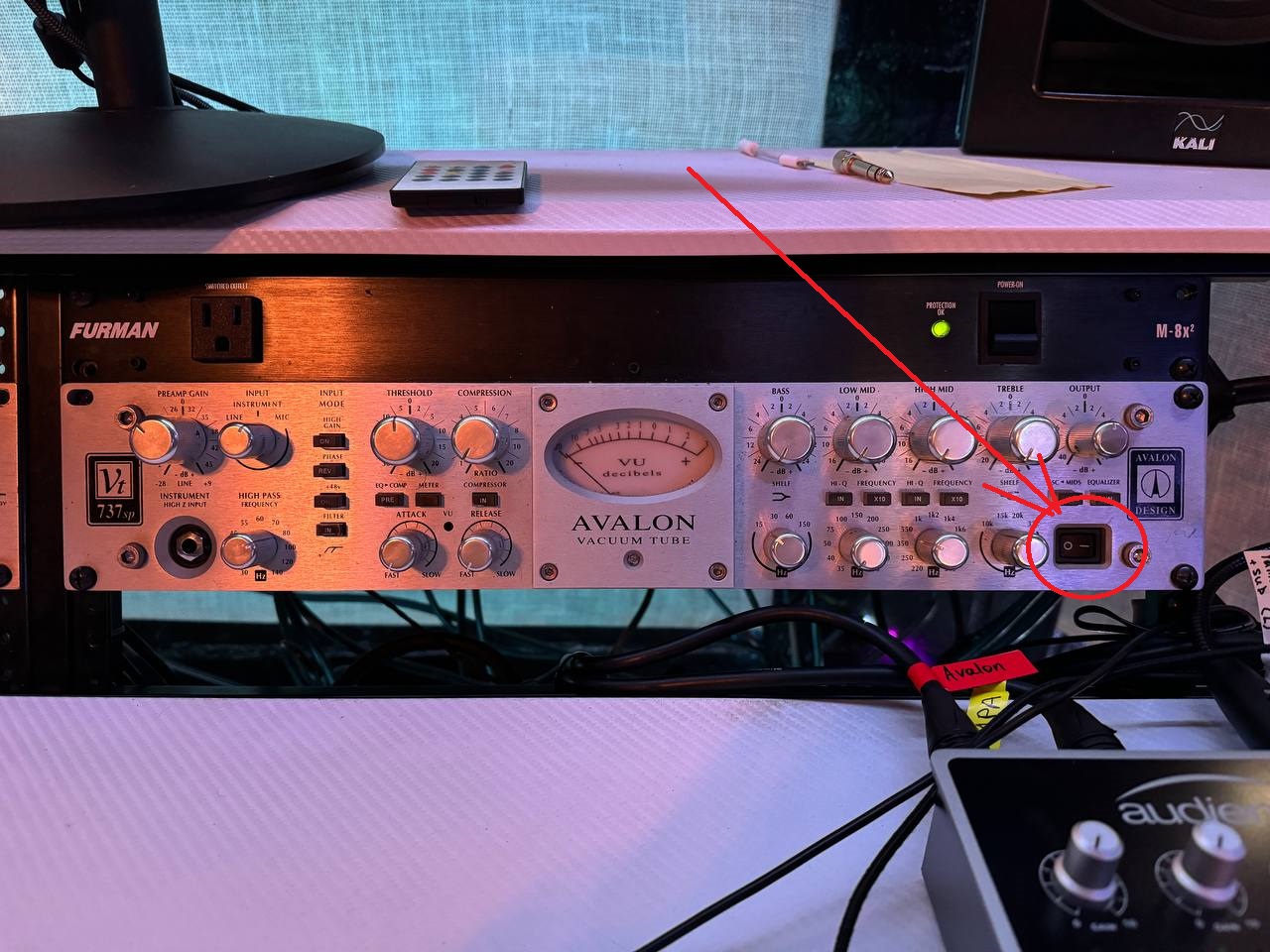
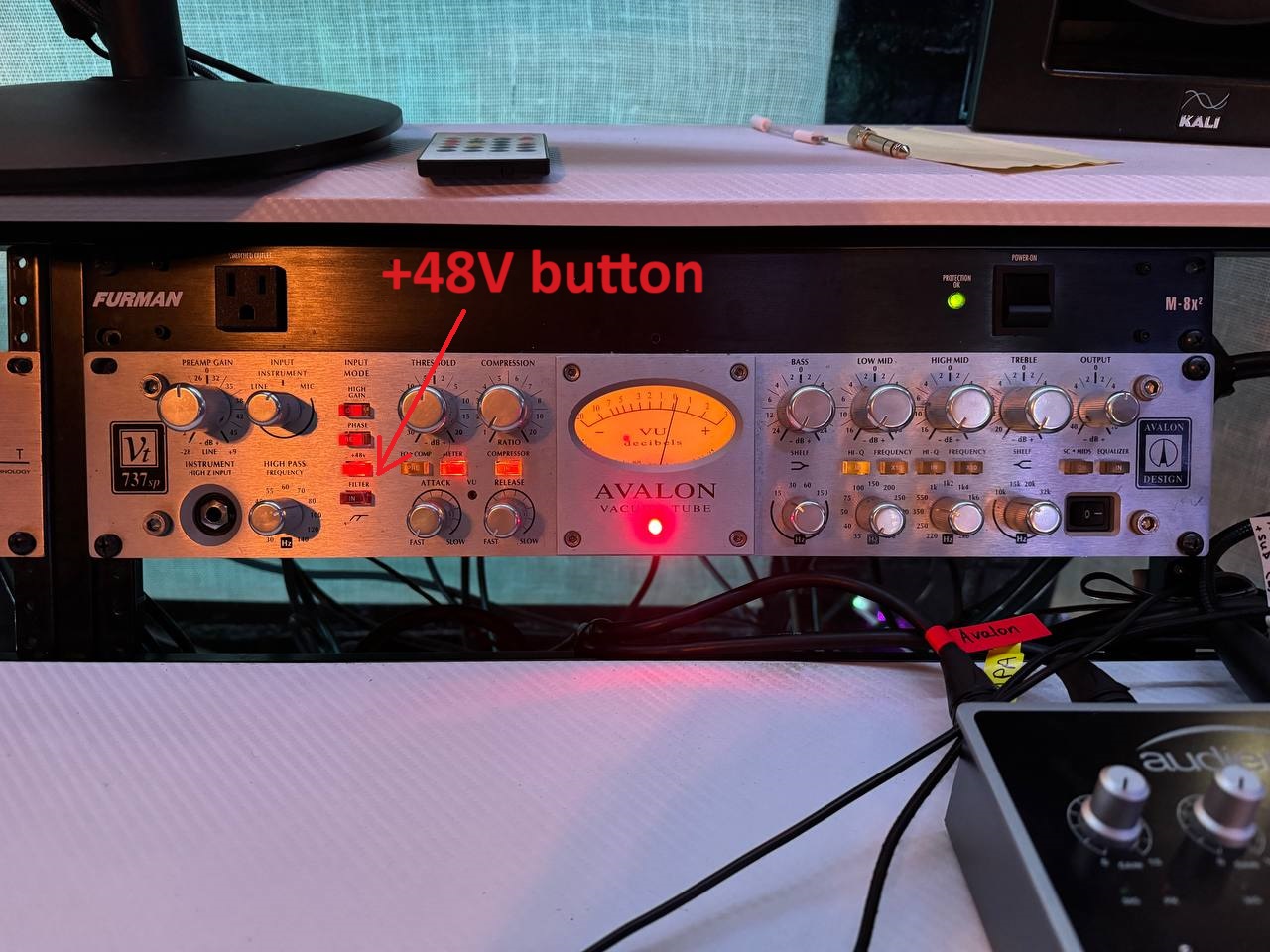
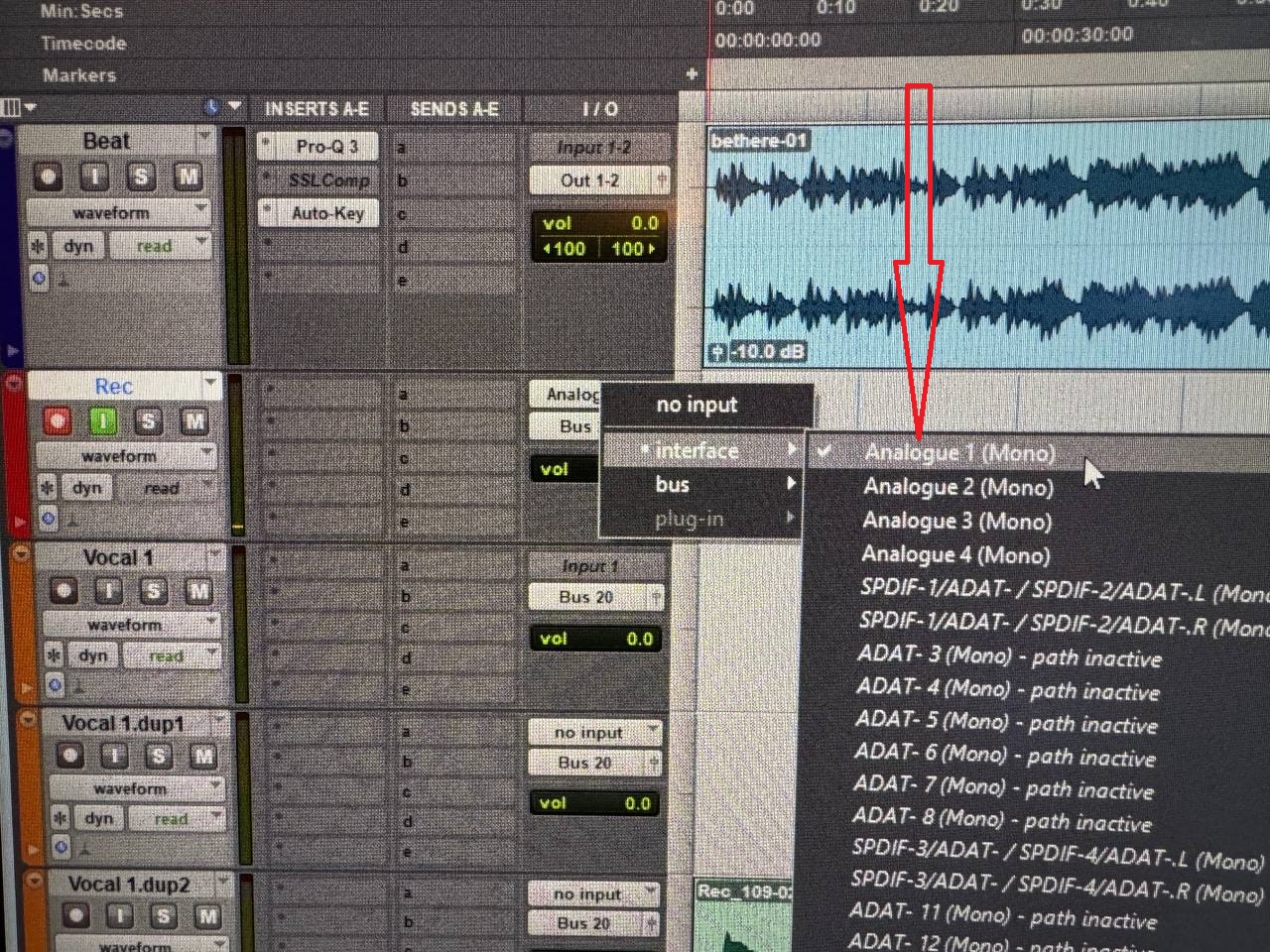
How to start recording 1. Make sure microphone cable is plugged to the microphone 2. Make sure master power is on 3. Plug the mic cable to designated pre-amp patch bay slot (we use Avalon pre-amp in this case) 4. Turn on Preamp (Avalon in this example) 5. Turn on +48V button on PreAmp 6. In your DAW make sure the Playback engine is Audient 7. Choose Analogue 1 as the input source on the mic track (since Avalon is plugged into Input 1) 7. Start recording! FAQ 1. Studio Overview (Lock, Lights, Equipment, Setting up, Recording) 2. Audio interface setup guide 3. How to start recording 4. Parking 5. AC